Basics
In Qingkuai, components are the basic units for building user interfaces. Each component represents an independent and reusable UI piece, which can be either a simple button or a complex page. Components are inherently encapsulated and composable, making UI development clearer and more efficient.
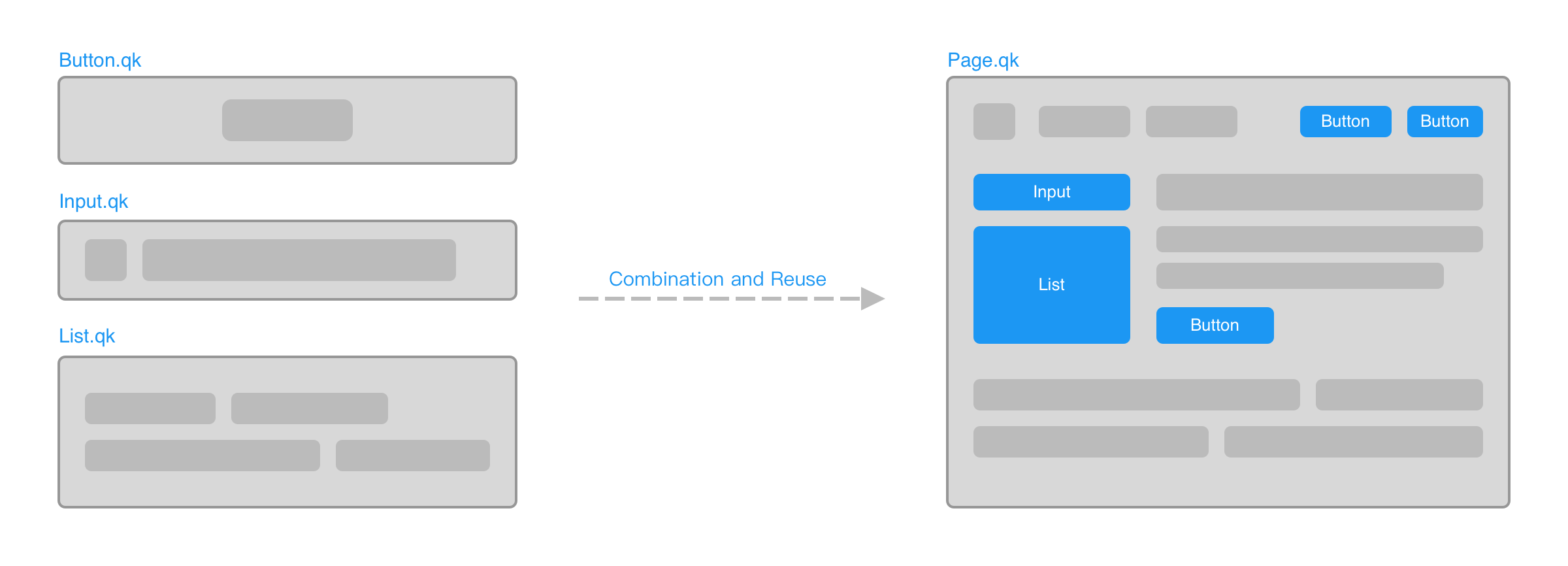
Definition and Usage
Qingkuai component definition follows the same file-based model used by Vue and Svelte. Each component is defined in a .qk file. After compilation, the file becomes a JavaScript module with a default export.
Assuming we have defined a component via a Component.qk file, we can import it into another component file using import syntax, and reuse it in the template section by adding a tag with the same name as the import identifier:
<lang-js>
    import Component from "./Component.qk"
</lang-js>

<Component />
<Component />From here on, we will use the term component file to refer to files with the .qk extension.
Component names support kebab-case format. The following usages are equivalent:
<MyComponent />
<my-component />
By default, when formatting component files, all component names will be transformed into camelCase format. However, you can add a .prettierrc file in the component file's directory or its parent directories and include the following content to change the component name preference to kebab-case:
{
    "componentTagFormatPreference": "kebab"
}When using this configuration, the Qingkuai language server will also prioritize kebab-case component tags when providing component tag completion suggestions.
Additionally, component tags support member access syntax, which is very common when used together with async components:
<Module.default />